



Insights
Webflow
Copy Link




Cómo utilizan las agencias el desarrollo visual, el CMS y el editor de clientes de Webflow para entregar sitios más rápido, mantener un control preciso del diseño y simplificar las transferencias.
Webflow cambia la forma en que las agencias gestionan los proyectos web al combinar el diseño y el desarrollo en una sola plataforma. En lugar de esperar semanas a que se codifiquen los diseños, los equipos pueden crear sitios web listos para la producción directamente en un lienzo visual. Este enfoque reduce significativamente los plazos de los proyectos, ya que agencias como Outliant informar sobre la finalización de proyectos 4 veces más rápido, y Hunt & Gather redujo el tiempo de comercialización al 40%.
Los beneficios clave incluyen:
Webflow también admite la colaboración con funciones como la ramificación de páginas, los componentes reutilizables y los comentarios visuales. Herramientas avanzadas como las colecciones de CMS, las animaciones y las integraciones con plataformas como Zapier permiten a las agencias crear sitios web escalables y altamente funcionales. Al eliminar los cuellos de botella y proporcionar herramientas intuitivas, Webflow ayuda a las agencias a ofrecer resultados más rápidos y eficientes.

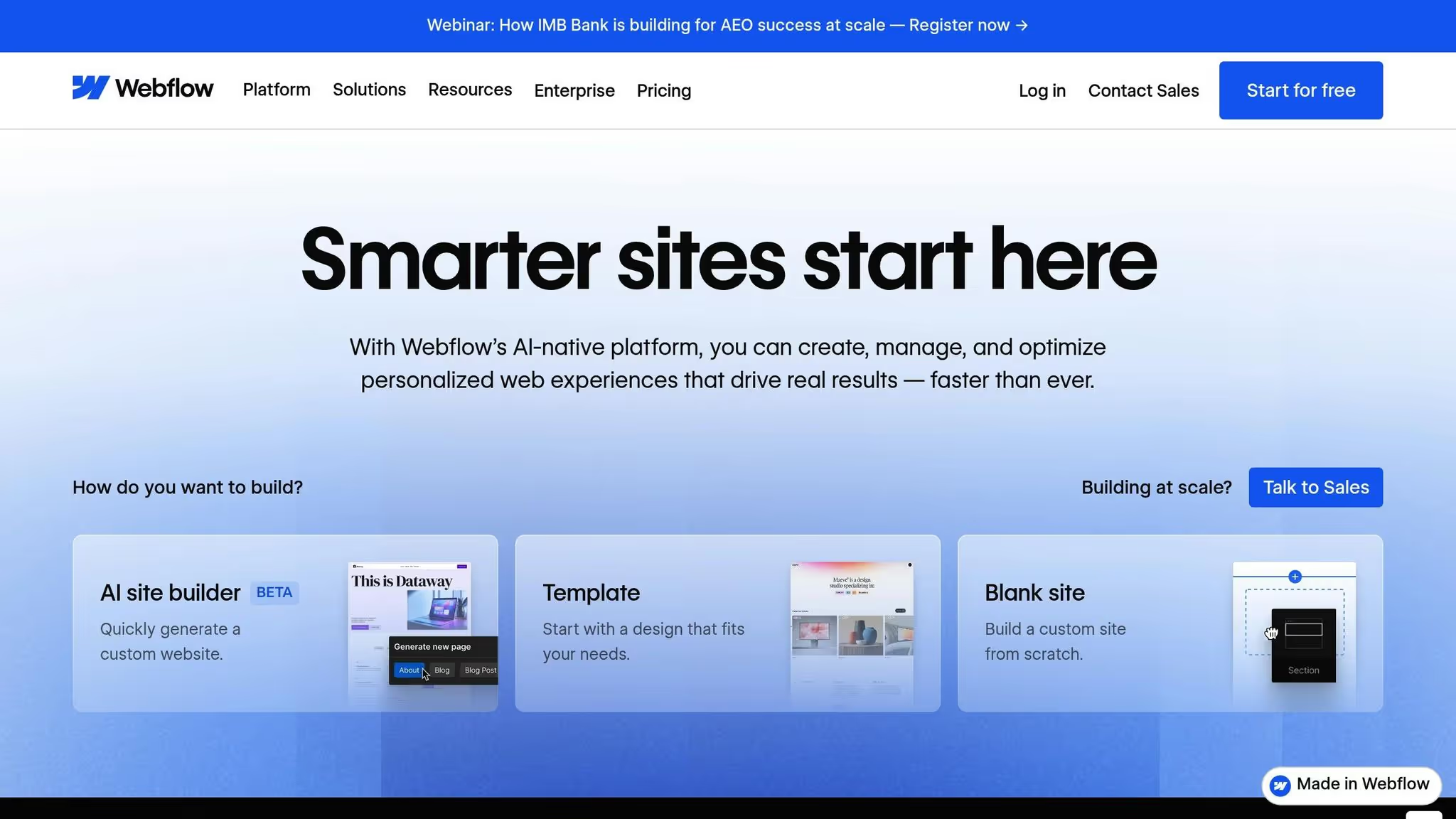
El desarrollo web tradicional a menudo viene con demoras frustrantes. Los diseñadores crean maquetas, las pasan a los desarrolladores y luego esperan semanas para que esos diseños se conviertan en código. Mientras tanto, los profesionales del marketing tienen que hacer cola a toda velocidad para lanzar las páginas de destino, y los redactores tienen que enviar tickets solo para modificar un título. Webflow elimina todo esto al permitir a los equipos crear visualmente sitios web listos para la producción, sin necesidad de ningún tipo de desarrollo de back-end. Este enfoque simplificado permite iteraciones más rápidas y experiencias de cliente más interactivas.
Webflow transforma el proceso creativo al eliminar la brecha entre el diseño y el desarrollo. Su lienzo visual genera código listo para la producción en tiempo real. En lugar de esperar a los desarrolladores, los diseñadores pueden ver sus cambios al instante mientras trabajan. Esto brinda a los diseñadores, especialistas en marketing y redactores la posibilidad de crear o actualizar secciones de un sitio web por su cuenta. Las agencias que utilizan Webflow han informado de una caída del 67% en las solicitudes de tickets para desarrolladores.
Otro punto de inflexión son los componentes reutilizables y las bibliotecas compartidas de la plataforma. Las agencias pueden crear guías de estilo de vida y sistemas de diseño, lo que facilita la creación de nuevas páginas en días en lugar de semanas. Taylor Rosenbauer, director ejecutivo de Rocket Air, explicó cómo esta capacidad beneficia a los equipos:
«No se trata de simulaciones, son reales, lo que significa que no tenemos que 'falsificar' nada en las pruebas con los usuarios y nuestros clientes obtienen datos e información aún más precisos».
Para proyectos más grandes, la función de ramificación de páginas de Webflow permite a varios miembros del equipo trabajar en diferentes partes de un sitio simultáneamente sin que se pisen unos a otros. Estas ramas se pueden publicar en subdominios intermedios para que los clientes las revisen, manteniendo intacto el sitio principal.
Webflow no solo acelera el desarrollo, sino que también simplifica la colaboración. Su herramienta de comentarios visuales permite a los clientes y partes interesadas dejar sus comentarios directamente en el sitio en vivo, lo que elimina la necesidad de cadenas interminables de correos electrónicos o capturas de pantalla con anotaciones. Además, al publicar resúmenes se describe claramente lo que ha cambiado, de modo que los clientes sepan exactamente lo que están aprobando y se evitan las actualizaciones accidentales.
Cuando llega el momento de la puesta en marcha, el alojamiento integrado de Webflow se encarga del trabajo pesado. Con el SSL automático y las copias de seguridad, lanzar un sitio es tan sencillo como hacer clic en un botón, sin necesidad de ingeniería de back-end. Estas funciones brindan a las agencias las herramientas que necesitan para entregar proyectos con rapidez, precisión y control.
Las agencias necesitan sitios web que reflejen con precisión los diseños aprobados, hasta el último píxel. El lienzo visual de Webflow lo hace posible al generar HTML y CSS semánticos en tiempo real.
Webflow cierra la brecha entre el diseño y el desarrollo sin problemas. Los diseñadores trabajan directamente con elementos HTML sin estilo y tienen un control total del CSS, ya que crean diseños de forma visual con herramientas como flexbox y CSS grid. Mientras tanto, Webflow genera código listo para la producción en segundo plano. Esto garantiza que los sitios web sean perfectos en cuanto a píxeles y se alineen perfectamente con la visión de diseño original, sin la molestia de la codificación manual.
El FigmaLa sincronización con WebFlow lleva esta alineación a un nivel superior. Mediante la sincronización Figma diseñe sistemas directamente en Webflow, el proceso elimina los errores manuales y garantiza la coherencia. Las bibliotecas compartidas también centralizan los activos de diseño, de modo que todos los equipos puedan trabajar con los componentes aprobados.
Dan Dawson, gerente sénior de propiedades digitales de NCR, compartió su experiencia:
«Nuestros equipos de diseño y desarrollo están mucho más integrados durante el proceso de construcción. Los diseñadores tienen más autonomía y los ingenieros pueden centrarse en el trabajo más impactante, lo que nos permite ofrecer nuevas páginas web con mayor rapidez».
Este flujo de trabajo simplificado no solo garantiza la precisión técnica, sino que también permite a las agencias satisfacer las necesidades únicas de los clientes de manera más eficaz.
Webflow también permite a las agencias crear diseños personalizados y flexibles que se adapten a las necesidades de sus clientes. Las animaciones de desplazamiento avanzadas, por ejemplo, se pueden crear sin escribir ningún código personalizado. Para requisitos más específicos, Webflow admite componentes de código personalizados y API certificadas por Mach, lo que ofrece la flexibilidad necesaria para mejorar la funcionalidad y, al mismo tiempo, mantener un código limpio y de alta calidad.
Marcus Jones, director de operaciones de Outliant, destacó los comentarios positivos de los clientes:
«Nuestros clientes están muy impresionados y satisfechos porque realmente pueden visualizar lo que les comunicamos. Esto nos valida como agencia creativa que intenta superar los límites de un trabajo hermoso».
Webflow simplifica aún más la gestión del diseño con variables y modos variables, lo que permite a las agencias definir estilos globales para los colores, la tipografía y el espaciado. Esto facilita el cambio de temas para computadoras de escritorio y dispositivos móviles o la administración eficiente de proyectos de marca blanca. El panel de auditoría integrado en la plataforma también ayuda a mantener un código limpio y compatible, ya que marca automáticamente los identificadores repetitivos y los problemas de accesibilidad.
Entregar un sitio web completo no debería provocar una avalancha de solicitudes de soporte ni llamadas frenéticas sobre diseños defectuosos. Con Webflow's Modo de edición, los clientes pueden actualizar el contenido sin afectar al diseño. Esta interfaz «lo que ves es lo que obtienes» es lo suficientemente sencilla para los usuarios sin conocimientos técnicos, lo que minimiza la necesidad de una formación exhaustiva. Es una transición fluida que se basa en el control de diseño preciso que ofrece Webflow.
Los clientes pueden realizar actualizaciones directamente en la página activa, con los cambios visibles en tiempo real. Mientras tanto, Modo de construcción permite a los equipos internos crear páginas de destino utilizando componentes previamente aprobados, lo que garantiza que el código subyacente permanezca intacto. Esta configuración brinda a los clientes la libertad de realizar cambios y, al mismo tiempo, mantener la coherencia de la marca.
Webflow también incluye asientos para clientes, que ofrece acceso gratuito a los modos Editar o Construir, según el nivel de control necesario. Por ejemplo, los planes CMS vienen con tres puestos de editor antiguos gratuitos, mientras que los planes Business incluyen 10 puestos. Las agencias pueden simplificar las tarifas de alojamiento utilizando facturación automatizada a clientes, que conecta la tarjeta de crédito del cliente directamente a la cuenta de alojamiento, lo que elimina la facturación manual.
Blaire McClure, gerente de marketing de productos para agencias de Webflow, destaca los beneficios:
«Cuando las agencias crean procesos de colaboración estructurados dentro de Webflow, los proyectos se ejecutan sin problemas, los clientes se sienten más involucrados sin convertirse en obstáculos y las interacciones con los clientes se convierten en asociaciones a largo plazo».
Para facilitar la incorporación, las agencias pueden compartir la serie de videos de cuatro partes de Webflow, «Guía del editor para el cliente» o personalice la guía oficial de incorporación para ofrecer un recorrido personalizado.
Un CMS bien organizado permite a los clientes hacerse cargo del contenido de su sitio sin esfuerzo. El de Webflow Campos de referencia y referencias múltiples permiten a las agencias conectar las colecciones, lo que facilita la reutilización de contenido como las biografías de los autores o las categorías de productos en todo el sitio sin duplicación. Esta configuración se amplía de forma natural a medida que los clientes añaden publicaciones en el blog, miembros del equipo o elementos del portafolio. Los clientes pueden gestionar los artículos de la colección, los productos de comercio electrónico y las categorías a través de un panel CMS intuitivo, sin necesidad de conocimientos técnicos.
Colaboración en tiempo real admite la edición simultánea de hasta 25 usuarios, con contornos en color que muestran quién está trabajando en qué para evitar conflictos. Para una mayor transparencia, el Registro de actividad del sitio (disponible en los planes Enterprise) realiza un seguimiento de cada cambio y crea un registro de auditoría para la resolución de problemas. Establecer de forma clara convenciones de nomenclatura para páginas, componentes y colecciones simplifica aún más la transferencia. Los nombres lógicos como «Página principal» en lugar de «Página 1» ayudan a los clientes a navegar por su sitio con confianza desde el principio.
Webflow lleva las entregas de las agencias al siguiente nivel con herramientas diseñadas para ir más allá del diseño eficiente y las transferencias fluidas. Una vez que los clientes se sientan cómodos gestionando su propio contenido, las agencias pueden centrarse en la creación de sitios web repletos de funciones. Las capacidades avanzadas de Webflow permiten la creación dinámica de sitios y una integración perfecta con sistemas externos, todo ello sin necesidad de una extensa codificación personalizada.
Con CMS Collections, puede usar más de una docena de tipos de campos para estructurar el contenido que se actualiza instantáneamente en cientos de páginas mediante plantillas dinámicas. Para las agencias que abordan proyectos a gran escala, el API de datos permite gestionar el contenido mediante programación, sincronizarlo con bases de datos externas y automatizar los flujos de trabajo.
Webflow también se destaca en la creación de sofisticadas animaciones basadas en el desplazamiento y admite herramientas como Spline, transformaciones 3D, Lottiey archivos dotLottie, todo ello sin necesidad de JavaScript. Marr Debiak, director ejecutivo de Tigre de papel, destaca el potencial transformador:
«Podemos trabajar con las marcas de formas que nunca antes habíamos podido... incorporando a más creadores de contenido visual, más diseñadores 3D y, en realidad, siendo más ambiciosos con el diseño en general, porque esas limitaciones técnicas están desapareciendo».
Para los desarrolladores, Elementos personalizados ofrecen la flexibilidad de insertar cualquier etiqueta HTML o incluso importar Reacciona componentes directamente en el lienzo de Webflow. Agregue a eso el acceso a más de 2000 familias de fuentes web de Google y Kit de tipos, y tienes un control total sobre la tipografía.
Estas herramientas abren oportunidades para crear sitios web altamente interactivos y escalables.
Webflow se integra perfectamente con plataformas de marketing populares como HubSpot, Campaña activa, y Microsoft Clarity, así como herramientas de automatización como Zapier para una sincronización de datos sencilla. Su CDN global, impulsada por Rápidamente, garantiza tiempos de carga rápidos incluso durante picos de tráfico, con el respaldo de un SLA de tiempo de actividad del 99,99% para clientes empresariales selectos.
Un gran ejemplo de escalabilidad proviene de 2024, cuando Hunt & Gather incorporó más de 200 000 listados de la MLS en una aplicación Next.js alojada junto a su sitio Webflow. El desarrollador Michael Lam compartió cómo este enfoque redujo el «trabajo tedioso» y aceleró el tiempo de comercialización de los productos digitales en un 40%. Para las agencias que gestionan proyectos de varios clientes, Bibliotecas compartidas - disponible en los planes Agency Workspace a 35 USD al mes por puesto: ayudan a mantener la coherencia de la marca al dar a los equipos acceso a un sistema de diseño centralizado.
Webflow también ofrece nuevos complementos para ampliar la funcionalidad. Optimización del Webflow (a partir de 299 USD al mes) y Análisis de Webflow (a partir de 29 USD al mes) incorporan a la plataforma las pruebas A/B, la personalización basada en la IA y el seguimiento del rendimiento. Mientras tanto, el Complemento de localización (a partir de 9 USD al mes) simplifica la traducción del contenido y la optimización del SEO para sitios multirregionales.
Webflow ofrece una combinación de velocidad, control y colaboración fluida que ayuda a las agencias a entregar proyectos de manera más eficiente. Con sus herramientas de desarrollo visual, alojamiento integrado, capacidades de CMS y funciones de edición fáciles de usar para el cliente, elimina muchos de los obstáculos comunes que ralentizan los flujos de trabajo. Agencias como Outliant han obtenido resultados impresionantes, como la finalización de proyectos 4 veces más rápido y llevar productos al mercado 40% más rápido.
La plataforma cierra la brecha entre el diseño y el desarrollo, lo que permite a los equipos trabajar de forma sincronizada y, al mismo tiempo, proporciona a los clientes herramientas seguras y fáciles de usar para administrar el contenido. Funciones como la ramificación de páginas, los permisos granulares y el editor permiten a los equipos realizar iteraciones con confianza y permiten a los clientes realizar actualizaciones sin poner en riesgo la integridad del sitio.
Webflow también simplifica las operaciones con herramientas centradas en el espacio de trabajo, como las bibliotecas compartidas y la facturación a clientes, que ayudan a reducir las tareas administrativas y mantener la coherencia entre los proyectos. Al permitir a los clientes gestionar las actualizaciones rutinarias, las agencias pueden ahorrar mucho tiempo, como lo demuestra el menor número de tickets de desarrollo.
Estos flujos de trabajo optimizados y herramientas versátiles hacen de Webflow una solución poderosa para agencias de todos los tamaños. Tanto si eres un profesional independiente que se ocupa de varios proyectos como si eres una agencia que se está expandiendo, Webflow proporciona la infraestructura necesaria para ofrecer sitios web profesionales de manera eficiente, sin los obstáculos de desarrollo habituales.
Webflow facilita mucho el trabajo en equipo entre diseñadores y desarrolladores al agilizar el proceso desde el diseño hasta el desarrollo. Gracias a su interfaz de desarrollo visual, los diseñadores pueden crear diseños completamente funcionales sin necesidad de escribir una sola línea de código. Mientras tanto, los desarrolladores pueden ponerse manos a la obra para afinar y optimizar directamente desde la misma plataforma. Esto elimina las idas y venidas habituales y reduce los errores durante las transferencias.
La plataforma también admite permisos basados en funciones y flujos de trabajo estructurados, que mantienen a todos en sintonía. Los diseñadores y desarrolladores pueden colaborar en tiempo real, compartir comentarios al instante y garantizar la coherencia durante todo el proyecto. ¿El resultado? Los proyectos se realizan más rápido y el flujo de trabajo es más fluido.
Webflow permite a las agencias completar proyectos más rápido al combinar un interfaz de desarrollo visual, herramientas sólidas de CMS, y un fácil de usar editor de cliente. Estas herramientas simplifican los flujos de trabajo, hacen que la colaboración sea más eficiente y reducen el tiempo dedicado a la codificación o la revisión.
Al usar Webflow, los diseñadores y desarrolladores pueden colaborar en tiempo real, lo que ayuda a acelerar las iteraciones y a mantener los plazos de los proyectos al día. La plataforma también garantiza una transferencia fluida de los clientes, ya que permite a los clientes gestionar y actualizar su contenido sin esfuerzo, sin necesidad de conocimientos técnicos.
Webflow brinda a los diseñadores la capacidad de crear diseños precisos y pulidos sin necesidad de escribir una sola línea de código. Es interfaz de desarrollo visual facilita el ajuste de diseños, espaciados y estilos con precisión exacta, lo que le ayuda a hacer realidad su visión creativa tal como la imaginaba.
Lo que hace que Webflow destaque es cómo se ocupa del aspecto técnico por ti. Mientras te concentras en el diseño, convierte sin problemas tu trabajo en código limpio y listo para la producción. Esto no solo le ahorra un tiempo valioso, sino que también garantiza que sus proyectos cumplan con altos estándares de calidad y coherencia en todo momento.
{» @context «:» https://schema.org","@type":"FAQPage","mainEntity":[{"@type":"Question","name":"How ¿Webflow ayuda a diseñadores y desarrolladores a trabajar mejor juntos?» , "acceptedAnswer»: {» @type «:"Answer», "text»:» <p>Webflow facilita mucho el trabajo en equipo entre diseñadores y desarrolladores al agilizar el proceso desde el diseño hasta el desarrollo. Gracias a su <strong>interfaz de desarrollo visual</strong>, los diseñadores pueden crear diseños completamente funcionales sin necesidad de escribir una sola línea de código. Mientras tanto, los desarrolladores pueden ponerse manos a la obra para afinar y optimizar directamente desde la misma plataforma. Esto elimina las idas y venidas habituales y reduce los errores</p> durante las transferencias. <p>La plataforma también admite <strong>permisos basados en roles</strong> y flujos de trabajo estructurados, lo que mantiene a todos informados. Los diseñadores y desarrolladores pueden colaborar en tiempo real, compartir comentarios al instante y garantizar la coherencia durante todo el proyecto. ¿El resultado? Los proyectos se realizan más rápido y el flujo de trabajo es más fluido.</p> «}}, {» @type «:"Question», "name» :"¿ Cómo ayuda Webflow a las agencias a entregar sus proyectos con mayor rapidez?» <strong><strong>, "acceptedAnswer»: {» @type «:"Answer», "text»:» Webflow permite a las agencias completar sus proyectos más rápido al combinar una interfaz de desarrollo <strong>visual</strong>, sólidas herramientas de CMS y un editor de cliente fácil de usar.</strong></strong> <p> Estas herramientas simplifican los flujos de trabajo, hacen que la colaboración sea más eficiente y reducen el tiempo dedicado</p> a la codificación o la revisión. <p>Al usar Webflow, los diseñadores y desarrolladores pueden colaborar en tiempo real, lo que ayuda a acelerar las iteraciones y a mantener los plazos de los proyectos al día. La plataforma también garantiza una transferencia fluida de los clientes, ya que permite a los clientes gestionar y actualizar su contenido sin esfuerzo</p>, sin necesidad de conocimientos técnicos. «}}, {» @type «:"Question», "name» :"¿ Cómo ayuda Webflow a los diseñadores a lograr diseños precisos y sin código?» , "acceptedAnswer»: {» @type «:"Answer», "text»:» <p>Webflow brinda a los diseñadores la capacidad de crear diseños precisos y pulidos sin necesidad de escribir una sola línea de código. Su <strong>interfaz de desarrollo visual</strong> facilita el ajuste de los diseños, el espaciado y los estilos con una precisión exacta, lo que le ayuda a hacer realidad su visión creativa tal y como</p> la había imaginado. <p>Lo que hace que Webflow destaque es cómo se ocupa del aspecto técnico por ti. Mientras te concentras en el diseño, convierte sin problemas tu trabajo en código limpio y listo para la producción. Esto no solo le ahorra un tiempo valioso, sino que también garantiza que sus proyectos cumplan con altos estándares de calidad y coherencia en todo</p> momento. «}}]}