



Insights
Webflow
Copy Link




Las agencias están optando por Webflow para crear sitios más rápido, reducir los costos de desarrollo, aumentar el rendimiento y el SEO y permitir a los clientes editar el contenido de forma segura.
Las agencias se están cambiando a Webflow para agilizar la creación de sitios web, reducir los costos y acelerar la entrega. A diferencia de las plataformas más antiguas como WordPress o Squarespace, Webflow simplifica el proceso al combinar el diseño y el desarrollo en una sola plataforma. Esto reduce la dependencia de los desarrolladores, mejora el rendimiento del sitio y ofrece mejores herramientas de SEO, al tiempo que brinda a las agencias un control creativo total.
Principales beneficios de Webflow para las agencias:
Por ejemplo, Broworks completó un proyecto a gran escala con más de 25 páginas y más de 600 elementos de CMS en solo dos semanas. Del mismo modo, Sogexia experimentó un aumento del tráfico del 30% después de migrar a Webflow.
La plataforma todo en uno de Webflow elimina la necesidad de complementos, reduce los problemas de mantenimiento y garantiza que las agencias puedan centrarse en ofrecer resultados a sus clientes.
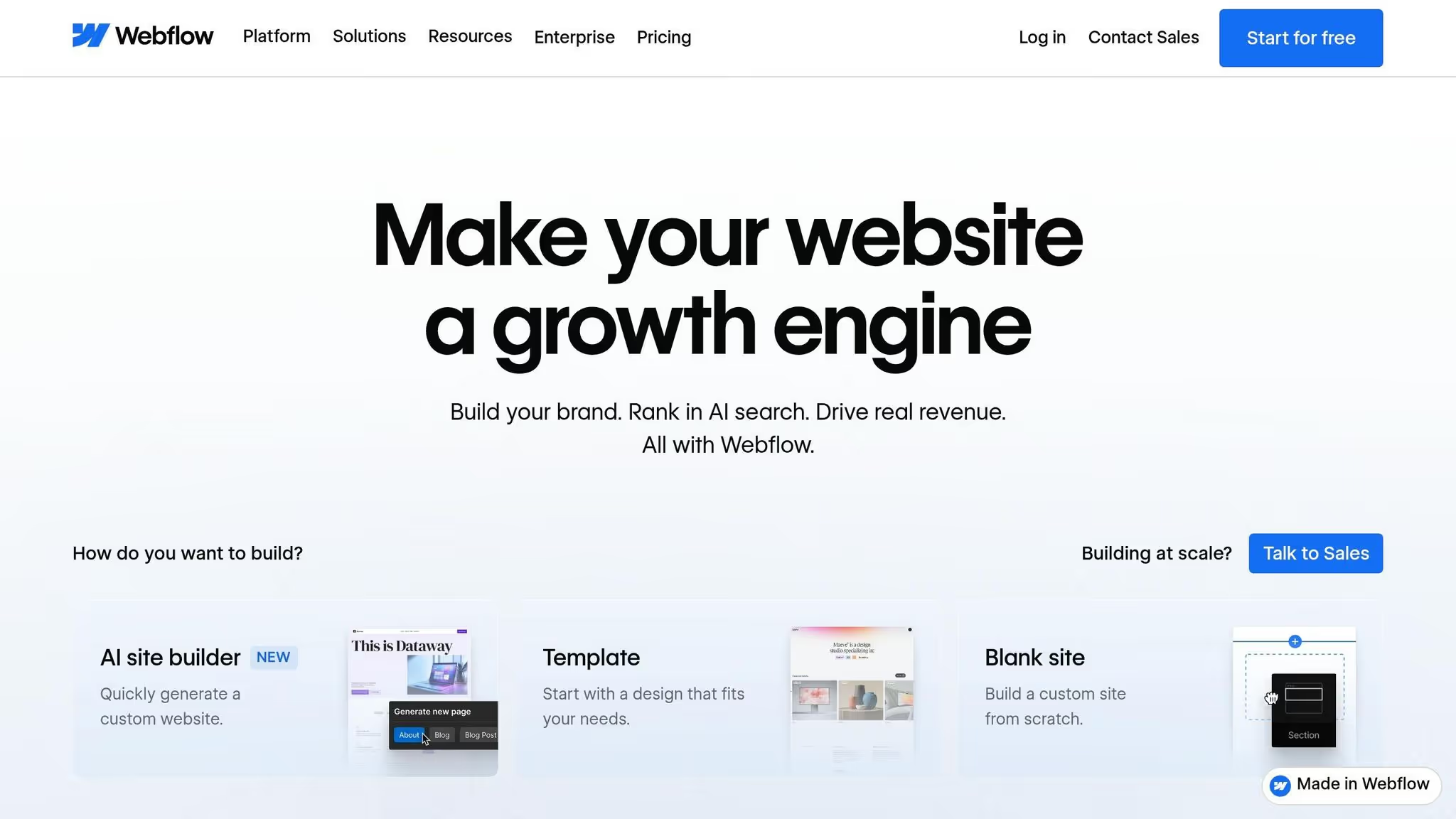
Las agencias suelen encontrar serios obstáculos a la hora de crear sitios web para clientes en plataformas como WordPress, Wixy Squarespace. Estos desafíos pueden hacer fracasar los plazos, inflar los costos y comprometer la calidad, lo que pone de manifiesto por qué estas plataformas con frecuencia no cumplen con las expectativas de las agencias.
Las plataformas tradicionales se basan en plantillas rígidas que restringen la libertad creativa. Por ejemplo, WordPress normalmente requiere temas prediseñados y entre 20 y 40 complementos solo para lograr una funcionalidad básica. Esta dependencia no solo limita la flexibilidad, sino que también introduce posibles vulnerabilidades de seguridad y puede ralentizar el rendimiento del sitio.
«Squarespace es un techo, no una base... el momento que necesitas
, HTML semántico limpio o interacciones accesibles, Squarespace se convierte en un techo».
Estas limitaciones dejan a las agencias atrapadas entre comprometer la visión de sus clientes o dedicar tiempo y recursos adicionales al desarrollo personalizado.
Las plataformas tradicionales suelen crear cuellos de botella en los flujos de trabajo. Incluso algo tan simple como una página de destino puede tardar de 2 a 3 semanas en publicarse debido a los procesos de revisión escalonados. Esta ineficiencia obliga a los equipos de marketing a depender de los desarrolladores, incluso para las actualizaciones más pequeñas.
Tomemos el ejemplo de Sogexia, una empresa de servicios financieros que migró de WordPress en julio de 2024. El proyecto implicó la transferencia de más de 500 artículos de blog y 50 páginas estáticas en cuatro idiomas.
«El switch permitió actualizaciones más rápidas, aumentó la productividad y aumentó el tráfico orgánico en un 30% en seis meses».
La migración también redujo su dependencia del apoyo externo al desarrollo en un 70%. Más allá de estas ineficiencias en el flujo de trabajo, las plataformas tradicionales también tienen problemas relacionados con el rendimiento y el SEO.
Los creadores de sitios web tradicionales a menudo comprometen el rendimiento del sitio y el SEO debido a un código exagerado y un diseño ineficiente. Las herramientas de arrastrar y soltar, si bien son prácticas, suelen generar un marcado pesado que ralentiza los tiempos de carga de las páginas. Esto es problemático porque los sitios web que se cargan más rápido pueden mejorar las tasas de conversión hasta en un 20%.
Además, la necesidad constante de actualizaciones de complementos, parches de seguridad y administración manual de certificados SSL crea problemas de mantenimiento continuos. Por ejemplo, un cliente migró por Chicos de Flow experimentó un aumento del 25% en el tráfico de búsqueda orgánica en tres meses. Esta mejora se atribuyó a una mejor estructura del sitio, a una mayor velocidad de las páginas y a una mejor gestión de los metadatos.
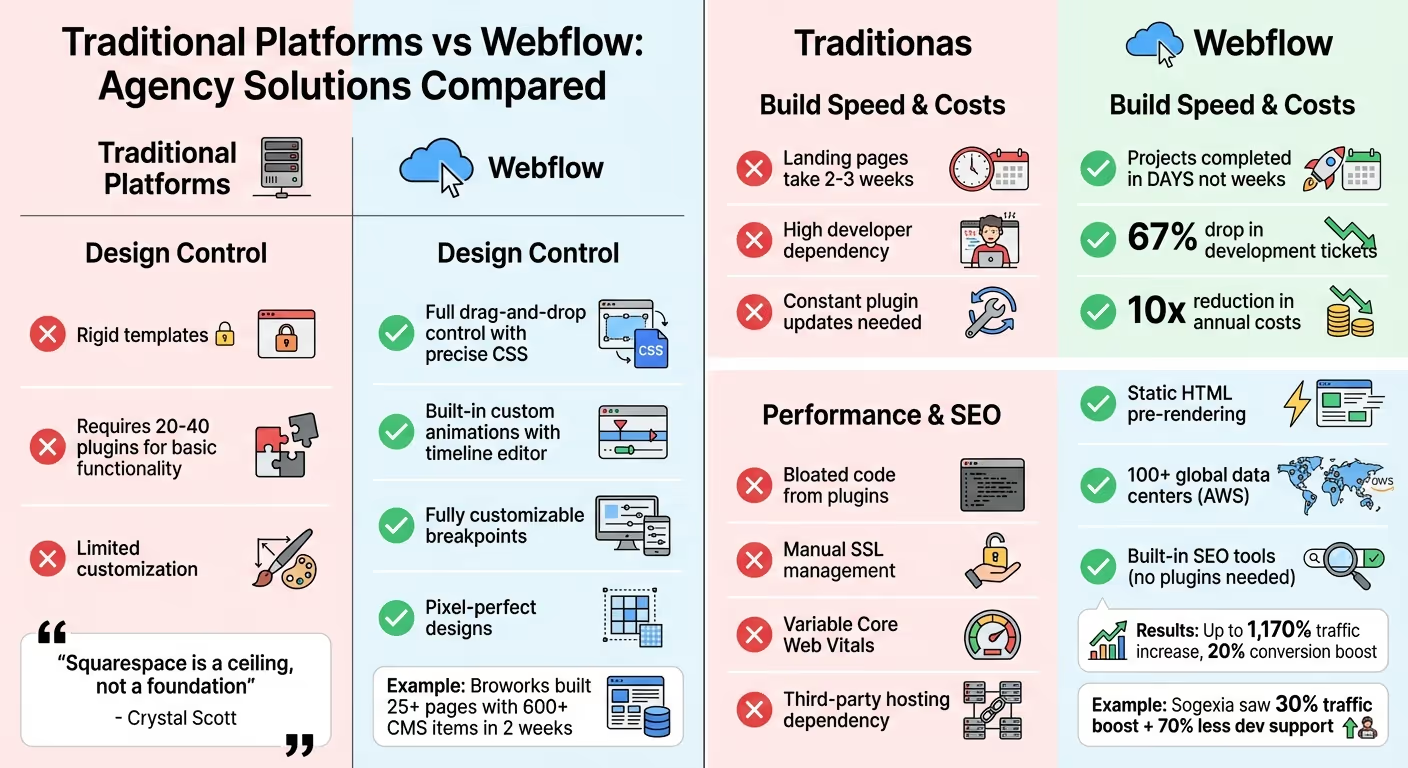
Webflow simplifica el proceso desde el diseño hasta la implementación, abordando algunos de los mayores desafíos a los que se enfrentan las agencias. En lugar de encerrar a los usuarios en plantillas rígidas o requerir un mosaico de complementos, Webflow ofrece a los diseñadores un control directo sobre HTML, CSS y JavaScript a través de una interfaz visual. Este enfoque permite crear diseños con píxeles perfectos que generan automáticamente un código limpio y listo para la producción, lo que elimina los errores que suelen producirse durante las transferencias.
La plataforma redefine el proceso de diseño web. Como dice el CEO Vlad Magdalin, pasa de «un 10% de diseño y un 90% de codificación a un 95% de diseño y un 5% de codificación». Analicemos cómo Webflow ofrece flexibilidad, eficiencia y rendimiento.
La herramienta de diseño de Webflow brinda a las agencias la libertad de dar vida a sus visiones creativas sin las limitaciones de los temas prediseñados. Cada elemento de un diseño se puede ajustar visualmente, mientras que la plataforma genera código semántico en segundo plano. Esto incluye la creación de animaciones complejas (como efectos de desplazamiento, paralaje activado por desplazamiento y elementos de carga automática) mediante un editor de cronogramas integrado, todo ello sin necesidad de usar JavaScript.
El diseño responsivo es otro punto fuerte. Los cambios se producen de forma natural cuando se pasa del escritorio al dispositivo móvil, y las interrupciones visuales facilitan el ajuste preciso de los diseños para diferentes tamaños de pantalla. Adquisición por parte de Webflow de Calcetín verde (GSAP) en octubre de 2024 mejoró aún más sus capacidades de animación, lo que la convirtió en una fuente inagotable de experiencias web dinámicas.
Característica
Limitación de plataformas tradicionales
Solución Webflow
Posicionamiento del diseño
Flexibilidad limitada de plantillas
Control total de arrastrar y soltar con manipulación precisa de CSS
Animaciones
Básicas o dependientes de complementos
Animaciones personalizadas integradas con editor de línea de tiempo
Diseño responsivo
Puntos de interrupción preestablecidos
Puntos de interrupción totalmente personalizables con cambios en cascada
Para la colaboración con los clientes, el editor Webflow permite a los clientes realizar actualizaciones directamente en el sitio en vivo, ya sea texto o imágenes, sin afectar al diseño subyacente. Taylor Rosenbauer, director ejecutivo de Rocket Air, destaca:
«No se trata de simulaciones, son reales, lo que significa que no tenemos que 'fingir' nada en las pruebas con los usuarios».
El entorno de desarrollo visual de Webflow elimina los cuellos de botella de los flujos de trabajo tradicionales. Los diseñadores, redactores y estrategas pueden crear o editar sitios sin esperar al soporte de ingeniería. Funciones como los componentes reutilizables (antes conocidos como Symbols), las clases que abarcan todo el sitio y las bibliotecas compartidas permiten crear páginas de forma rápida y uniforme.
Este flujo de trabajo optimizado permite a las agencias completar proyectos complejos en días en lugar de semanas, lo que reduce significativamente el tiempo de comercialización. Los beneficios financieros son claros: las agencias reportan una reducción de hasta 10 veces en sus costos anuales y ven caer la venta de entradas para el desarrollo hasta un 67%. Por ejemplo, Reenfoque, una agencia de marcas, se unió al programa Webflow Enterprise Partner y generó más de 1 millón de dólares en ingresos durante su primer año al utilizar la infraestructura escalable de Webflow.
Webflow también integra el alojamiento, la seguridad (incluida la certificación SSL y SOC 2 de tipo II) y las copias de seguridad en su plataforma. Uros Mikic, director ejecutivo de Flow Ninja, explica:
«Ir a la producción es sin preocupaciones. Todo se hace con un solo clic, sin preocuparse por la seguridad y la ingeniería de back-end».
Webflow aborda los desafíos de rendimiento y SEO de las plataformas tradicionales con sus funciones avanzadas de alojamiento y optimización. Los sitios están alojados en una distribución mundial AWS red con más de 100 centros de datos, lo que garantiza tiempos de carga ultrarrápidos en todo el mundo. A diferencia de WordPress, que crea páginas bajo demanda con PHP, Webflow prerenderiza los sitios en archivos HTML estáticos. Esto reduce el tiempo de procesamiento del servidor y aumenta el rendimiento. Funciones como la compatibilidad con WebP, la generación de imágenes adaptables y la carga diferida mejoran aún más la velocidad de la página.
Métrico
Rendimiento de las plataformas tradicionales
Ventaja de Webflow
Principales elementos vitales de la web
Variable o deficiente debido a la sobrecarga de plugins
Optimizado desde el primer momento con servicio de archivos estáticos
Herramientas de SEO integradas
Limitado; requiere complementos de terceros
Herramientas avanzadas e integradas que incluyen la generación de metadatos basada en inteligencia artificial
Velocidad de hospedaje
Depende del alojamiento de terceros
Alojamiento de CDN rápido y global con más de 100 centros de datos
Las herramientas de SEO de Webflow están integradas directamente en la plataforma. Los usuarios tienen el control sobre los metatítulos, las descripciones, las reglas de indexación, los archivos robots.txt y los mapas de sitio XML, todo ello sin necesidad de complementos. La IA de Webflow puede incluso generar metatítulos, descripciones y texto alternativo para las imágenes, además de marcado de esquema para mejorar la visibilidad de las búsquedas. Un panel de auditoría integrado señala problemas como la falta de texto alternativo o estructuras de encabezados incorrectas antes de que un sitio entre en funcionamiento. El impacto es evidente: algunos usuarios han registrado un aumento del tráfico del 1,170% año tras año, y las tasas de conversión en todo el sitio han aumentado un 20%.
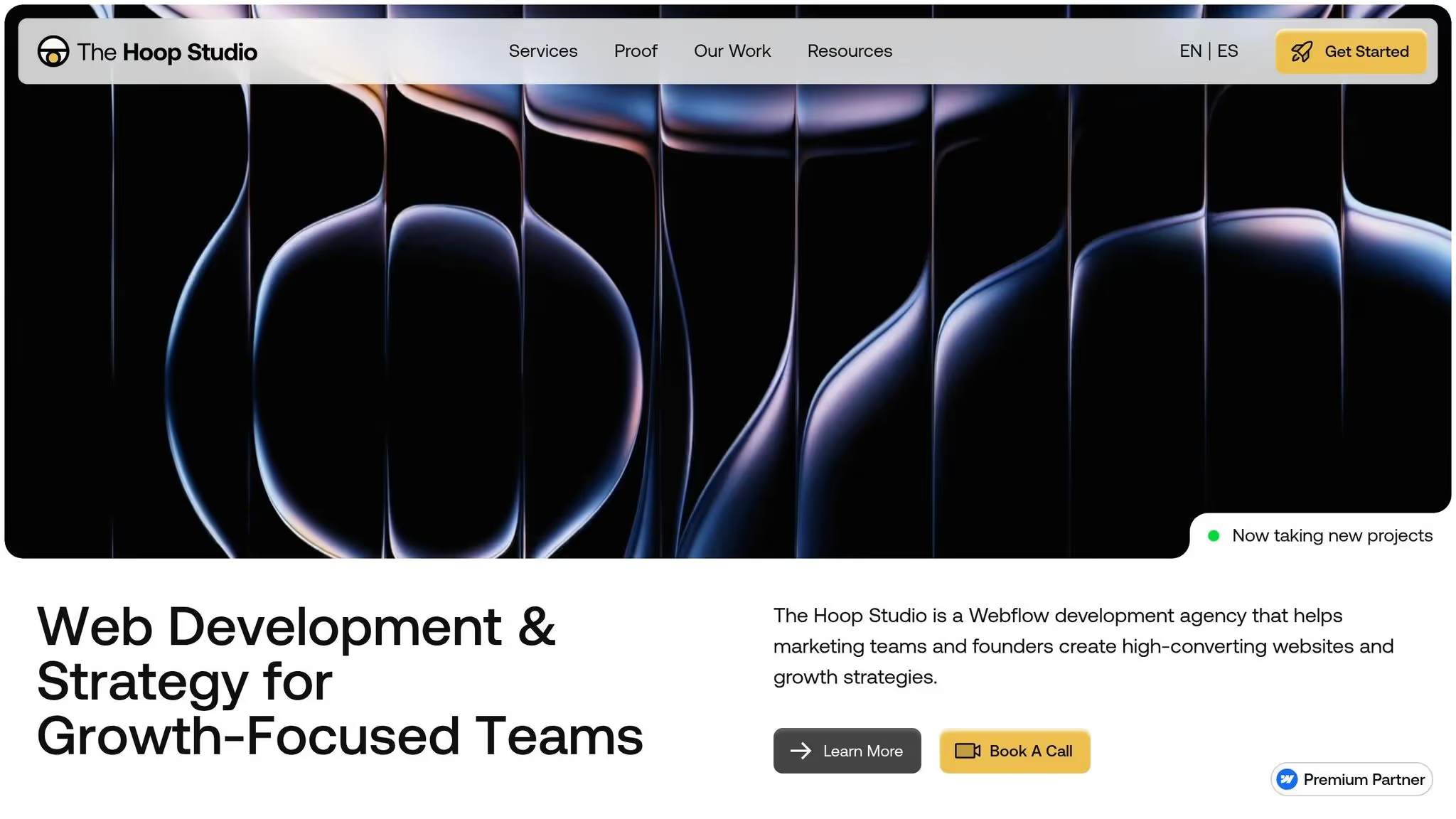
Hoop Studio aprovecha al máximo las fortalezas de Webflow en cuanto a diseño, velocidad y SEO para ofrecer un modelo centrado en impulsar el crecimiento del marketing.
Especializado en sitios web de Webflow, The Hoop Studio crea sitios que producen resultados medibles para los equipos y agencias de marketing. Como Socio certificado de Webflow desde noviembre de 2023, crean sitios web centrados en la conversión que cuentan con una sólida base de CMS, un SEO integrado y un rendimiento optimizado. Con un precio inicial de 4.000$, sus proyectos combinan la planificación estratégica, el diseño creativo y la experiencia técnica para crear sitios listos para la comercialización que las agencias puedan gestionar fácilmente tras su lanzamiento.
El enfoque de Hoop Studio prioriza la creación de sitios web destinados a impulsar las conversiones, ya sea un página de destino única para una campaña o un sitio de marketing completo. Su arquitectura CMS escalable permite a las agencias actualizar sus carteras y mostrar el trabajo de los nuevos clientes sin depender de los desarrolladores. También se aseguran de que cada sitio integre herramientas clave de análisis y cumplimiento, lo que lo convierte en una parte integral de las iniciativas de marketing más importantes. El SEO es un enfoque central, con atención a los tiempos de carga rápidos, el código limpio y la indexación adecuada para mejorar las clasificaciones de búsqueda.
«Webflow tiene el poder del desarrollo web codificado personalizado, pero la accesibilidad de una interfaz visual. Es intuitivo de una manera que otras plataformas simplemente no lo son».
Además de sus diseños estratégicos, The Hoop Studio brinda apoyo continuo para mejorar aún más el éxito de la agencia.
Para complementar sus versiones iniciales, The Hoop Studio ofrece a las agencias opciones flexibles de soporte continuo. Los retenedores de Webflow comienzan en aproximadamente 3.100 dólares al mes e incluyen actualizaciones prioritarias, creación de nuevas páginas, mejoras en las conversiones, supervisión del SEO y revisiones analíticas. Estas retenciones aprovechan las capacidades de rendimiento y adaptabilidad del diseño de Webflow. El estudio también se encarga de los servicios técnicos, como las auditorías de accesibilidad, el desarrollo de código personalizado y migraciones de plataformas, lo que reduce la carga técnica de las agencias.
«Históricamente, las agencias ganaban sitios a costa y ganaban dinero manteniéndolos vivos. Con Webflow, cambiamos ese modelo y nos centramos en lo que realmente impulsa el crecimiento: la optimización, la conversión y los ingresos».
Este modelo de soporte integral aborda la creciente demanda de soluciones web flexibles y orientadas al crecimiento entre las agencias.
Webflow se destaca como una plataforma que aborda muchos de los problemas a los que se enfrentan las agencias con las herramientas tradicionales. Su capacidad para ofrecer diseños precisos y perfectos, junto con código listo para la producción, junto con herramientas integradas de seguridad, alojamiento y SEO, reduce significativamente las complejidades técnicas.
Un gran ejemplo de esto en acción es The Hoop Studio's Diseño y desarrollo de webflow enfoque. Como socios certificados de Webflow, crean sitios web diseñados para impulsar las conversiones, con configuraciones de CMS escalables, análisis integrados y bases sólidas de SEO. Sus modelo de retenedor flexible también garantiza el soporte y la optimización continuos, lo que elimina la necesidad de desarrolladores internos.
Para las agencias que buscan reducir los tiempos de construcción, reducir los gastos de mantenimiento y dar a los clientes un mayor control sobre el contenido, Webflow ofrece una solución práctica y eficaz. Su combinación de flexibilidad de diseño, rendimiento y empoderamiento de los clientes lo convierte en una opción sólida para las agencias que se centran en la obtención de resultados.
Considera aprovechar la experiencia de Webflow y The Hoop Studio para optimizar tus proyectos e impulsar el crecimiento de tu agencia.
Las agencias deben recurrir a Webflow cuando necesiten crear un sitio web escalable y visualmente impactante en poco tiempo. Es especialmente útil para proyectos que demandan creación rápida de prototipos, opciones de diseño personalizables, y trabajo en equipo fluido, lo que ayuda a reducir los plazos de desarrollo.
Webflow también brilla cuando la escalabilidad es una prioridad. Con sus potentes herramientas de CMS y sus componentes reutilizables, es ideal para los clientes que priorizan la velocidad, el rendimiento y las actualizaciones sencillas a medida que su negocio crece.
La migración a Webflow implica varios pasos cruciales para garantizar que el proceso se desarrolle sin problemas y que el nuevo sitio funcione según lo esperado. Así es como se desarrolla normalmente:
Cada paso se ejecuta cuidadosamente para crear una transición perfecta y ofrecer un sitio web funcional y pulido.
Mantener tus diseños intactos al entregarlos a los clientes en Webflow puede ser como caminar por la cuerda floja. Pero con las estrategias adecuadas, puedes evitar cambios accidentales y, al mismo tiempo, dar a los clientes la libertad de realizar las actualizaciones necesarias.
Comience con comunicación clara y establezca expectativas por adelantado. Informe a sus clientes a qué partes del sitio tendrán acceso y qué pueden editar. Esto ayuda a evitar confusiones y reduce el riesgo de cambios no deseados.
Usa Webflow's configuración de permisos a tu favor. Puedes limitar los derechos de edición para que los clientes solo puedan realizar cambios en áreas específicas del sitio. Asignación roles personalizados con capacidades restringidas, garantiza que puedan actualizar contenido como texto o imágenes sin alterar el diseño general.
Al controlar el acceso y proporcionar directrices claras, proteges la integridad del diseño y, al mismo tiempo, permites a los clientes administrar su sitio con confianza. Estas prácticas sencillas ayudan en gran medida a mantener tu trabajo intacto y a tus clientes satisfechos.
{» @context «:» https://schema.org","@type":"FAQPage","mainEntity":[{"@type":"Question","name":"When ¿Debería una agencia elegir Webflow para el sitio de un cliente?» , "acceptedAnswer»: {» @type «:"Answer», "text»:» <p>Las agencias deben recurrir a Webflow cuando necesitan crear un sitio web escalable y visualmente impactante en poco tiempo. Es especialmente útil para proyectos que exigen la creación <strong>rápida de prototipos</strong>, <strong>opciones de diseño personalizables</strong> y un trabajo en <strong>equipo fluido</strong>,</p> ya que ayuda a reducir los plazos de desarrollo. <p>Webflow también destaca cuando la escalabilidad es una prioridad. Con sus potentes herramientas de CMS y sus componentes reutilizables, es ideal para los clientes que priorizan la velocidad, el rendimiento y las actualizaciones sencillas</p> a medida que su negocio crece. «}}, {» @type «:"Question», "name» :"¿ Qué implica una migración típica de Webflow?» , "acceptedAnswer»: {» @type «:"Answer», "text»:» La <p>migración a Webflow implica varios pasos cruciales para garantizar que el proceso se desarrolle sin problemas y que el nuevo sitio funcione según lo esperado. Por lo general, se desarrolla de la siguiente manera:</p> <ul><li><strong>Planificación y evaluación</strong>: el proceso comienza con el análisis de la estructura, el contenido y la funcionalidad del sitio web actual. Este paso ayuda a identificar lo que debe transferirse o mejorarse en el nuevo sitio de Webflow</li>. <li><strong>Transferencia o recreación</strong> de contenido: el contenido se migra directamente o se recrea en Webflow. Durante esta fase, mantener la coherencia del diseño y garantizar que el sitio sea totalmente responsivo son las principales prioridades</li>. <li><strong>Optimización de funciones</strong>: esto incluye ajustar la configuración de SEO, configurar integraciones y garantizar que todas las funciones se alineen con los objetivos del sitio.</li> <li><strong>Pruebas exhaustivas</strong>: antes de su lanzamiento, el sitio se somete a rigurosas pruebas para garantizar que su rendimiento y funcionalidad cumplan con las expectativas.</li> </ul><li><strong>Lanzamiento y redireccionamientos</strong>: el último paso es lanzar el sitio e implementar los redireccionamientos para mantener las clasificaciones de SEO existentes y evitar la pérdida de tráfico.</li> <p>Cada paso se ejecuta cuidadosamente para crear una transición perfecta y ofrecer un sitio web funcional y pulido.</p> «}}, {» @type «:"Question», "name» :» ¿Cómo evitas que los clientes hagan diseños de última generación en Webflow?» , "acceptedAnswer»: {» @type «:"Answer», "text»:» <p>Mantener tus diseños intactos al entregarlos a los clientes en Webflow puede ser como caminar por la cuerda floja. Sin embargo, con las estrategias adecuadas, puedes evitar cambios accidentales y, al mismo tiempo</p>, dar a los clientes la libertad de realizar las actualizaciones necesarias. <p>Empieza con <strong>una comunicación clara</strong> y establece expectativas por adelantado. Informe a sus clientes a qué partes del sitio tendrán acceso y qué pueden editar. Esto ayuda a evitar confusiones y reduce el riesgo de cambios no deseados</p>. <p>Utilice la <strong>configuración de permisos</strong> de Webflow a su favor. Puedes limitar los derechos de edición para que los clientes solo puedan realizar cambios en áreas específicas del sitio. La asignación de <strong>funciones personalizadas</strong> con capacidades restringidas garantiza que puedan actualizar contenido, como texto o imágenes, sin alterar el diseño general</p>. <p>Al controlar el acceso y proporcionar directrices claras, proteges la integridad del diseño y, al mismo tiempo, permites a los clientes administrar su sitio con confianza. Estas prácticas sencillas ayudan en gran medida a mantener tu trabajo intacto y a tus clientes satisfechos</p>. «}}]}