





Insights
Webflow
Copy Link




Compare Webflow and Framer: Webflow for content-heavy, SEO-focused marketing sites; Framer for fast, design-led landing pages and campaigns.
When deciding between Webflow and Framer for building a website, the choice comes down to your team's goals and expertise:
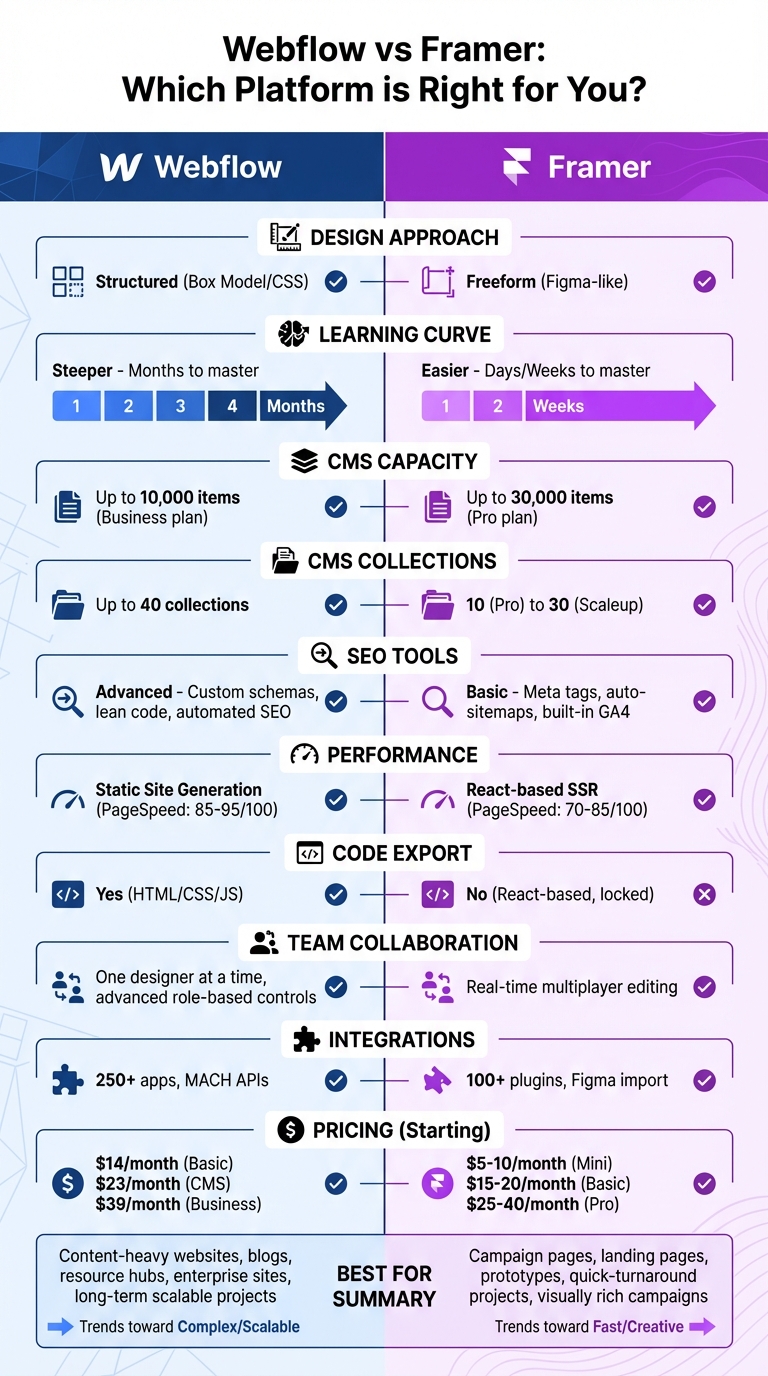
Quick Comparison:
| Feature | Webflow | Framer |
|---|---|---|
| Design Approach | Structured (Box Model/CSS) | Freeform (Figma-like) |
| Learning Curve | Steeper (Months to master) | Easier (Days/Weeks to master) |
| CMS Capacity | Up to 10,000 items (Business) | Up to 30,000 items (Pro plan) |
| SEO Tools | Advanced (Custom schemas, lean code) | Basic (Meta tags, auto-sitemaps) |
| Performance | Static site generation (Faster) | React-based SSR (Heavier) |
| Best For | Content-heavy websites | Campaign pages and prototypes |
| Pricing | Starts at $14/month | Starts at $5/month |
Bottom Line: Choose Webflow for long-term, scalable projects that demand SEO and CMS power. Opt for Framer for quick-turnaround, visually rich campaigns without needing developer support.
Webflow vs Framer: Complete Feature Comparison for Marketing Websites
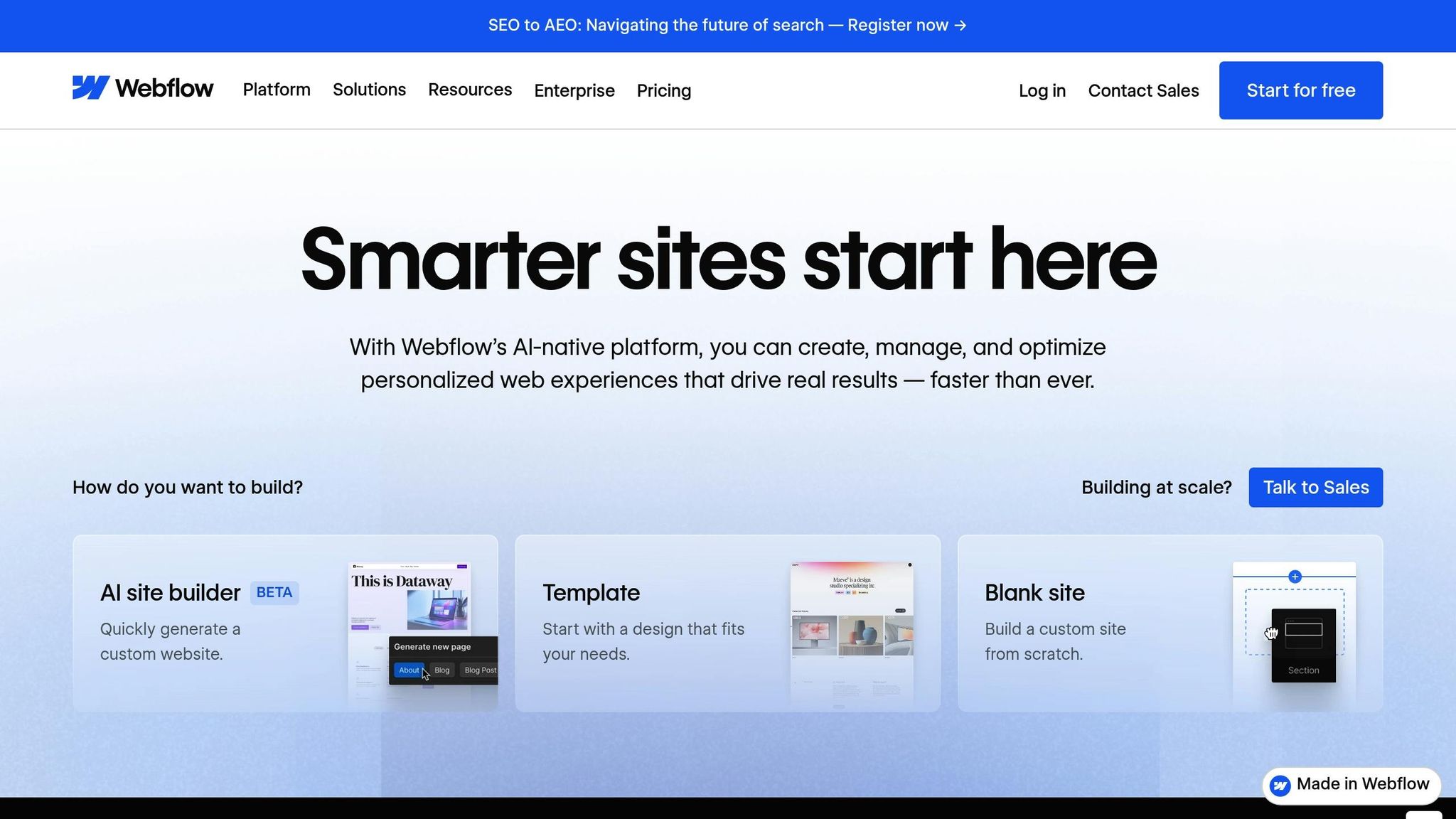
Webflow’s CSS engine transforms designs into clean, semantic HTML5, CSS3, and JavaScript, making it possible to create professional websites without writing code. By using a structured box-model approach with CSS Grid and Flexbox, teams gain precise control over design elements, ensuring consistency across all devices. Plus, every site is responsive by default, with built-in breakpoints for desktop, tablet, and mobile.
Webflow also provides access to over 2,000 web font families from Google and Typekit. The Figma to Webflow plugin allows teams to directly import components, preserving the integrity of design systems.
For marketing teams juggling multiple campaigns, the class-based styling system is a game-changer. Any updates made to a single CSS class automatically apply across the entire site, maintaining consistent branding across hundreds of pages. Features like Variables and Components make scaling designs effortless while keeping the brand identity intact.
"Webflow has changed everything. Now we can actually build what my team designs, pixel for pixel. Having that power and flexibility at our fingertips is a paradigm shift."
– Alice Bybee, Director of Brand Design, Lattice
Webflow’s Quick Stack element and CSS Grid-powered layouts make it easy for marketers to build and tweak standard website structures quickly. The platform’s visual canvas adheres to professional standards, eliminating the need for lengthy handoffs to developers. Marketing teams can also incorporate 3D transforms, CSS filters, and advanced animations to create dynamic campaign experiences. Some enterprise users have reported a 67% drop in developer tickets, thanks to the ability to make independent updates.
Webflow’s CMS is designed to handle content-heavy marketing websites. It uses structured content collections with over a dozen field types, making it ideal for managing blogs, case studies, and resource hubs. Designers can create a single layout template, and the system will automatically generate hundreds - or even thousands - of pages based on that structure. For large-scale migrations, CSV imports simplify the process of transferring content libraries from other platforms. The Business plan supports up to 10,000 CMS items, while Enterprise plans can handle hundreds of thousands .
Edit Mode allows marketers to safely update text and images without affecting layouts. Features like real-time collaboration and granular publishing permissions make teamwork seamless. Webflow’s MACH-certified headless CMS APIs enable programmatic content management and distribution across multiple channels. Additionally, the platform supports localization with AI-translated content and location-specific calls to action.
"Webflow empowers us to do what we do best as marketers, designers, and content creators: It strips away the technical complexity and unleashes us to be creative, try new things, and iterate quickly."
– Kokko Tso, VP Digital Marketing, Walker & Dunlop
These tools provide a strong backbone for advanced SEO and site performance improvements.
Webflow produces W3C-compliant, semantic code that’s easy for search engines to crawl. It includes built-in fields for customizing meta titles, descriptions, and Open Graph tags . The platform also generates XML sitemaps with hreflang annotations and offers a fully customizable robots.txt file . Dynamic SEO templates allow teams to define metadata once and automatically generate optimized titles and descriptions for thousands of pages. Additionally, JSON-LD schema injection - at the site, page, or CMS template level - automates structured data implementation across large content libraries .
The results speak for themselves. After transitioning to Webflow, DocuSign saw a 1,170% year-over-year boost in organic traffic and launched new pages four times faster . Nursa successfully migrated 40,000 pages to Webflow in under three weeks, achieving a 70% improvement in site performance and Core Web Vitals. Webflow’s dual CDN stack (Fastly and CloudFront) ensures fast delivery, while automatic image optimization supports WebP and AVIF formats, enhancing performance beyond responsive defaults. The platform also supports 301 redirects with wildcard patterns and regex capture groups, preserving link equity during migrations.
"With Webflow, we've significantly improved organic traffic, SEO, and conversions. From my perspective as CMO, that's a huge win because our brand is reaching more people."
– Elizabeth Walton Egan, CMO, Lattice
Framer takes a design-first approach, much like Figma, offering a freeform canvas that gives designers complete creative control without relying on rigid flexbox layouts. By late 2024, more than 171,000 websites had been created using Framer. Marketing teams often choose it for high-impact landing pages and campaign websites, where visual storytelling is a priority. This sets Framer apart from Webflow, which follows a more structured design philosophy, making Framer a creative alternative for campaign-focused projects.
One standout feature of Framer is its seamless Figma-to-web workflow. Designers can import Figma designs exactly as they are, converting them into production-ready code for quick campaign prototyping. With AI tools that automate site structuring and create interactive components, Framer simplifies and accelerates the prototyping process.
Framer also supports real-time collaboration, allowing team members to work on the same canvas simultaneously with instant updates. Additionally, the platform is ISO 27001 certified, ensuring secure data management.
Framer's canvas operates like a digital whiteboard, providing designers with the freedom to place and arrange elements without technical limitations. The "Insert" menu includes pre-built sections and pages, which act as modular building blocks for assembling polished campaign websites quickly. This flexible design environment is ideal for creating visually impactful campaign pages.
Framer's no-code animation engine makes it easy to add dynamic scroll effects, interactive buttons, and smooth transitions. Designers can animate layers in 3D space, leveraging hardware acceleration to maintain fluid motion, even on complex pages. With high-fidelity prototyping capabilities, marketing teams can test ideas with stakeholders and fine-tune animations in real time.
While Webflow is known for managing large content libraries, Framer focuses on simplicity and speed, making it a great fit for targeted campaign pages. Its CMS is tailored for managing content like blog posts and landing pages. The Pro plan supports up to 10 CMS collections and 10,000 pages, making it well-suited for campaign-specific needs.
Framer also includes built-in SEO tools, such as automated sitemaps, metadata customization, canonical tags, and 301 redirects, ensuring fast and efficient site performance. The platform is optimized for Google's Core Web Vitals and includes GDPR-compliant analytics powered by GA4, providing immediate insights into campaign performance. Additionally, AI-driven localization tools can quickly translate content, images, and calls to action.
Pricing begins at $10/month, with costs increasing for advanced features and additional collaborators.
Webflow operates on a structured box-model system, making it more aligned with traditional web design principles. Framer, on the other hand, offers a freeform canvas similar to Figma, allowing designers to position elements without worrying immediately about CSS constraints.
Webflow's learning curve is steeper, often requiring months to master due to its reliance on web fundamentals. Framer, with its simpler interface, can be picked up in weeks, making it a great choice for quick prototyping. However, Webflow's structured approach is better suited for complex projects that demand long-term stability. Here's a quick comparison:
| Feature | Webflow | Framer |
|---|---|---|
| Design Interface | Structured (Box Model/CSS) | Freeform (Figma-like) |
| Learning Curve | High (Months to master) | Low (Days/Weeks to master) |
| Build Speed | Slower initially, better for complex sites | Faster for prototypes and landing pages |
| Code Export | Yes (HTML/CSS/JS) | No (React-based, locked) |
| PageSpeed Scores | 85–95/100 | 70–85/100 (React overhead) |
Webflow features a robust CMS with advanced options like "Reference" and "Multi-reference" fields, allowing for intricate content relationships. For instance, you can link authors to blog posts or create detailed product catalogs. On its Business plan, Webflow supports up to 10,000 items.
Framer’s CMS is simpler, designed for smaller-scale projects. It supports up to 10,000 items on its Pro plan and up to 30,000 items overall.
When it comes to SEO, Webflow has the edge. It generates clean, indexable code and automates metadata population from CMS collections, which is ideal for scaling marketing campaigns. Its static site generation ensures leaner code compared to Framer's React-based server-side rendering. However, Framer includes GDPR-compliant GA4 analytics out of the box.
| Capability | Webflow | Framer |
|---|---|---|
| CMS Capacity | Up to 10,000 items (Business) | Up to 30,000 items (Total) |
| CMS Collections | Up to 40 collections | 10 (Pro) to 30 (Scaleup) |
| Content Relationships | Advanced (Multi-reference fields) | Basic (Simple relationships) |
| SEO Tools | Automated SEO, custom schemas, lean code | Basic meta tags, auto-sitemaps, built-in GA4 |
| Performance | Static Site Generation (Leaner) | React-based SSR (Heavier) |
Framer allows real-time collaboration, letting multiple team members work on the same project simultaneously. Webflow, while limiting the "Designer" role to one user at a time, offers advanced role-based permissions and a dedicated "Editor" interface for content teams to work concurrently.
For developers, Webflow provides an open ecosystem with exportable HTML, CSS, and JavaScript, along with MACH-certified APIs for added flexibility. Developers can also build React components locally and publish them using a CLI. Framer, however, lacks code export and API support for programmatic content management. Webflow also boasts a larger marketplace, with 253 apps compared to Framer's 105 plugins.
| Feature | Webflow | Framer |
|---|---|---|
| Team Editing | One designer at a time | Real-time multiplayer |
| Roles & Permissions | Advanced role-based controls | Basic editor access |
| Custom Code | HTML/CSS/JS embeds, CLI for React components | In-editor React components |
| Integrations | 250+ apps, including Zapier and MACH APIs | 100+ plugins, Figma import |
Webflow's annual site plans start at $14/month for the Basic plan (no CMS), $23/month for the CMS plan (2,000 items and 3 editor seats), and $39/month for the Business plan (10,000 items and 10 editor seats). Collaboration tools cost an additional $19/month for basic editors and $45/month for full design access.
Framer's plans are more affordable for smaller projects, starting at $5–$10/month for the Mini plan (simple sites with a custom domain), $15–$20/month for the Basic plan (1,000–10,000 visitors with limited CMS), and $25–$40/month for the Pro plan (advanced features for up to 100,000 visitors). Collaboration costs are a flat $25/month per editor.
For teams in the U.S. with 3–5 members, Webflow's monthly costs range from $71–$186+, while Framer's pricing falls between $105–$165+.
When deciding on a platform for your marketing website, it’s essential to align your choice with your project’s goals and your team’s workflow.
If you’re planning to create a content-heavy site - think blogs, resource centers, or product catalogs that might grow to hundreds or even thousands of pages - Webflow could be your best bet. Its CMS can handle up to 10,000 items on the Business plan, and it offers advanced tools to manage complex content relationships with ease.
For campaign-specific projects, like product launches, event landing pages, or interactive brand experiences, Framer shines. Its freeform design canvas and real-time collaboration tools make it possible to create and iterate quickly without waiting on developers. A great example? Zapier used Framer to launch a brand guidelines site in less than a week, bypassing engineering bottlenecks.
If SEO is central to your growth strategy, Webflow’s advantages become even clearer. Its clean code and detailed controls - such as wildcard redirects and automated metadata - can provide stronger results over time. Budget is another key factor: Webflow is ideal for larger teams and extensive content libraries, while Framer’s more affordable plans are perfect for startups and smaller-scale projects.
By evaluating these criteria, you can narrow down the right platform for your needs. Once that’s settled, you can explore how The Hoop Studio can elevate your Webflow experience.
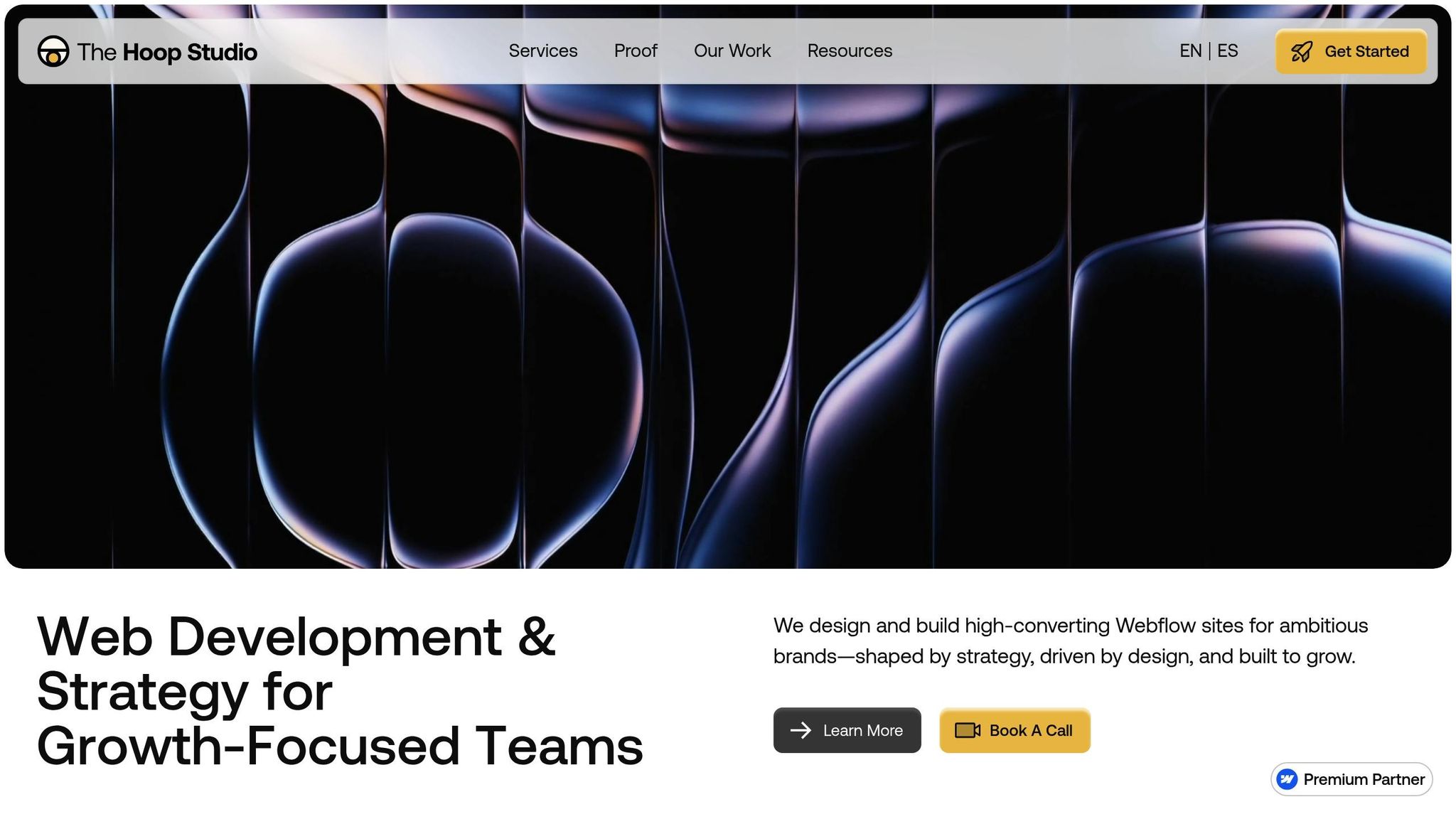
For those looking to maximize Webflow’s potential, The Hoop Studio specializes in building fast, high-performing marketing websites tailored to your goals.
After your site goes live, The Hoop Studio offers ongoing support through their Ongoing Web Partner service (starting at $1,000/month). This package includes priority access for updates, conversion improvements, SEO monitoring, and analytics reviews - letting your marketing team focus on strategy while leaving the technical details to the experts.
Whether you’re building your first marketing site or expanding an existing one, The Hoop Studio’s Webflow expertise ensures you can launch quickly and optimize for success.
Webflow shines when it comes to scalable, content-driven websites such as corporate pages, e-commerce platforms, or marketing hubs. Its powerful CMS, SEO tools, and focus on long-term upkeep make it a strong contender. Plus, if your project demands clean, exportable code or custom integrations, Webflow is an excellent pick.
On the other hand, Framer is ideal for visually rich, interactive projects like landing pages, product showcases, or animation-heavy microsites. It’s tailored for teams that emphasize rapid prototyping, dynamic animations, and a design-first approach - perfect for when speed and creativity are key.
In short, go with Webflow for scalability and back-end strength or Framer for visual flair and quick turnaround, depending on what your project needs most.
Webflow provides a robust set of SEO tools built directly into its Designer, streamlining the optimization process. You can easily adjust meta titles, descriptions, and alt text without leaving the platform. Plus, features like clean semantic HTML, automatically generated XML sitemaps, and fast, reliable hosting powered by AWS ensure your site is well-prepared for search engines from the start.
Framer also supports SEO, but it involves more hands-on work. Tasks such as editing meta tags or generating sitemaps often require manual input or the use of third-party tools, making it a bit more time-consuming compared to Webflow's built-in approach.
Webflow stands out for its advanced design capabilities, offering detailed animation controls, extensive customization options, and a powerful CMS. This makes it a go-to platform for those who want precise control over every aspect of their website's layout and interactions. That said, mastering these tools requires a bit of a learning curve, which might feel challenging for newcomers.
On the other hand, Framer caters to beginners with its straightforward and intuitive interface. Its design feels familiar to users of tools like Figma, focusing on simplicity and speed. Features like rapid prototyping and AI-assisted site creation make it an excellent choice for those who want to build a website quickly without diving into technical complexities.