



Insights
Performance
Copy Link


How faster load times drive higher conversions more than visuals, with stats, Core Web Vitals targets, and quick fixes using PageSpeed Insights.
Your website's speed directly affects how users interact with it - and whether they stay long enough to convert. Here’s why:
While design matters, a slow site can drive users away before they even notice your visuals. Fast-loading pages improve user experience, build credibility, and boost conversions. Tools like Google PageSpeed Insights can help identify and fix speed issues, ensuring your site performs at its best.
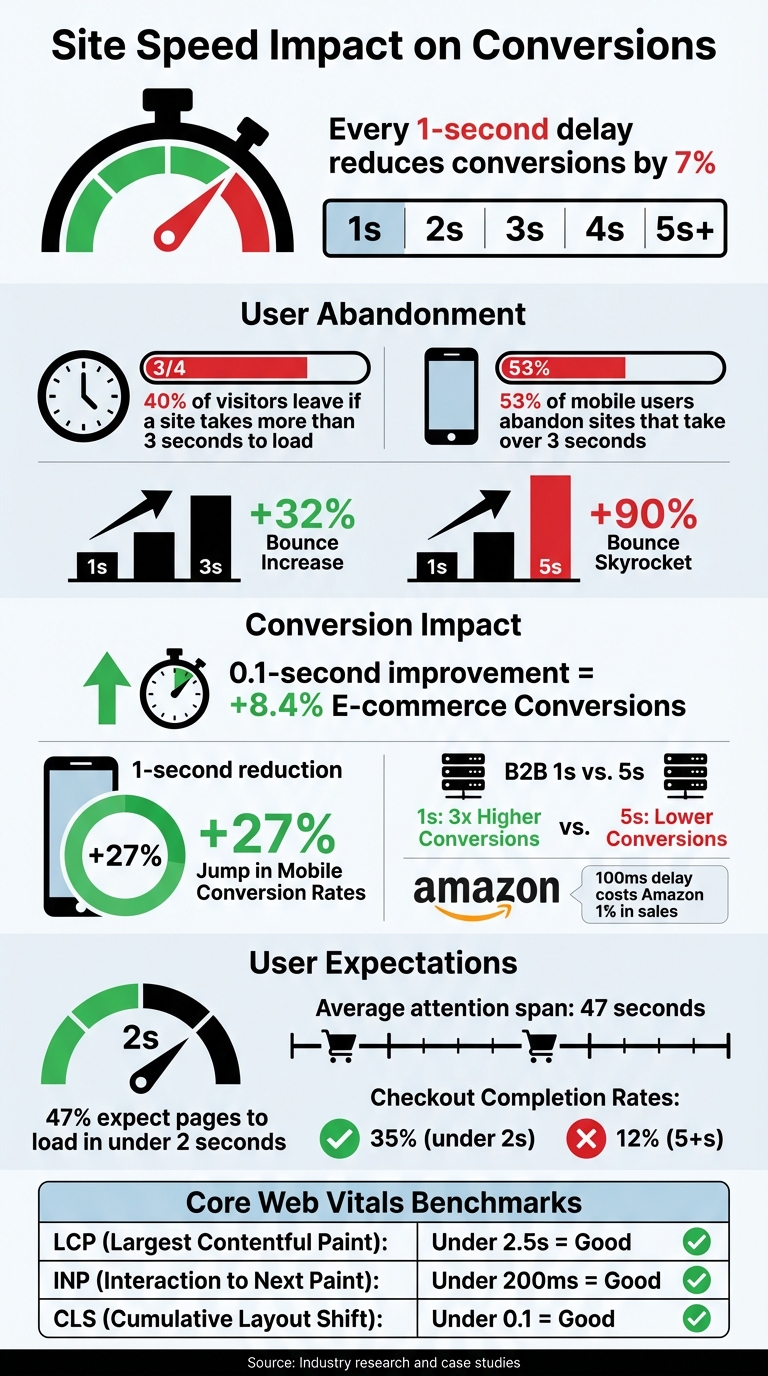
How Site Speed Impacts Conversion Rates: Key Statistics and Benchmarks
A slow-loading website does more than just irritate visitors - it triggers a physical stress response in users. This reaction isn't just fleeting annoyance; it can drive people to abandon your site altogether. Psychologists call this phenomenon "intent interruption." Imagine being ready to shop, fill out a form, or read an article, only to hit a frustrating delay. That friction is often enough to make users click away. On the flip side, fast-loading sites create "cognitive fluency", making it easier for users to absorb information and fostering immediate trust.
Today’s users expect websites to load in under 2 seconds. If your site doesn’t meet that standard, you risk losing visitors almost instantly. And with attention spans now averaging just 47 seconds, even minor delays can have a major impact. Mobile users face even greater challenges due to multitasking and inconsistent network speeds, making them 22% less likely to convert on slower sites.
The statistics below paint a clear picture of how slow load times directly affect your bottom line.
The connection between slow load times and lost revenue is undeniable. A single second of delay can reduce conversions by about 7%. If your page takes 1 to 3 seconds longer to load, bounce rates jump by 32%. Stretch that to 5 seconds, and bounces skyrocket by 90%. Amazon famously found that a 100-millisecond delay costs them 1% in sales. For a company pulling in $200 million annually, a 1-second delay could mean losing over $22 million.
Fast-loading sites enjoy a massive advantage. For example, a B2B website that loads in just 1 second can see conversion rates three times higher than one that takes 5 seconds. Even small improvements pack a punch - a 0.1-second speed boost can lift e-commerce conversions by 8.4% and increase average order value by 9.2%. On mobile, where 53% of users abandon sites that take more than 3 seconds to load, shaving off just 1 second can lead to a 27% jump in conversion rates.
A visually stunning site means little if it takes forever to load. Nearly half of users - 47%, to be exact - expect a webpage to load in under 2 seconds. This isn’t just a nice-to-have; it’s the minimum standard. A slow site doesn’t just test patience; it can make visitors think the site is broken, outdated, or even unreliable.
Fast-loading sites create what’s called cognitive fluency, which helps users absorb information without effort. When a site responds instantly, it reassures visitors that they’re in the right place and guides them seamlessly to their next step. But any delay disrupts this flow, turning curiosity into irritation before the page even finishes loading. Quick responsiveness not only meets expectations but also builds trust.
Speed is more than just a convenience - it’s a trust signal. A fast-loading site feels polished and professional. On the flip side, if your site takes longer than 3 seconds to load, 53% of mobile users won’t stick around. As Shakuro explains:
"Speed shapes perception before your message even has a chance to land. Slow sites feel outdated, untrustworthy, or just plain broken... In today's attention economy, 'feels broken' is the same as is broken".
Interestingly, simpler designs often outperform visually intricate ones when it comes to conversions. Research reveals that websites rated 9–10 for design aesthetics average a conversion rate of just 1.8%, while those with more straightforward designs (rated 5–6) average 4.3%. Why? Heavy design elements like full-screen videos, animations, or uncompressed images may look sleek but often slow load times and disrupt the user experience.
The importance of speed becomes even more pronounced during critical moments, like when users interact with checkout or landing pages. These are high-stakes areas where every second counts. A slow experience during these key actions can shatter trust and tank conversions.
Checkout pages are particularly fragile. When users click "checkout", they’re in a state of positive anticipation. A delay here can spark concerns about site security or functionality. For example, completion rates plummet from 35% for pages that load in under 2 seconds to just 12% when load times stretch to 5 seconds or more. Adding to the problem, third-party scripts - used for things like tax calculations or fraud detection - can block the page from becoming interactive, further frustrating users.
Landing pages face similar issues. If hero images or navigation elements load too slowly, users might leave before even engaging with the content. For B2B lead generation sites, shaving a single second off load times can triple conversion rates compared to sites that take 5 seconds to load. In B2C e-commerce, the difference is 2.5×.
The numbers don’t lie: optimizing metrics like Largest Contentful Paint (LCP), First Input Delay (FID), and Cumulative Layout Shift (CLS) consistently boosts conversion rates and revenue per visitor. Speed isn’t just a technical consideration - it’s a direct driver of business success.
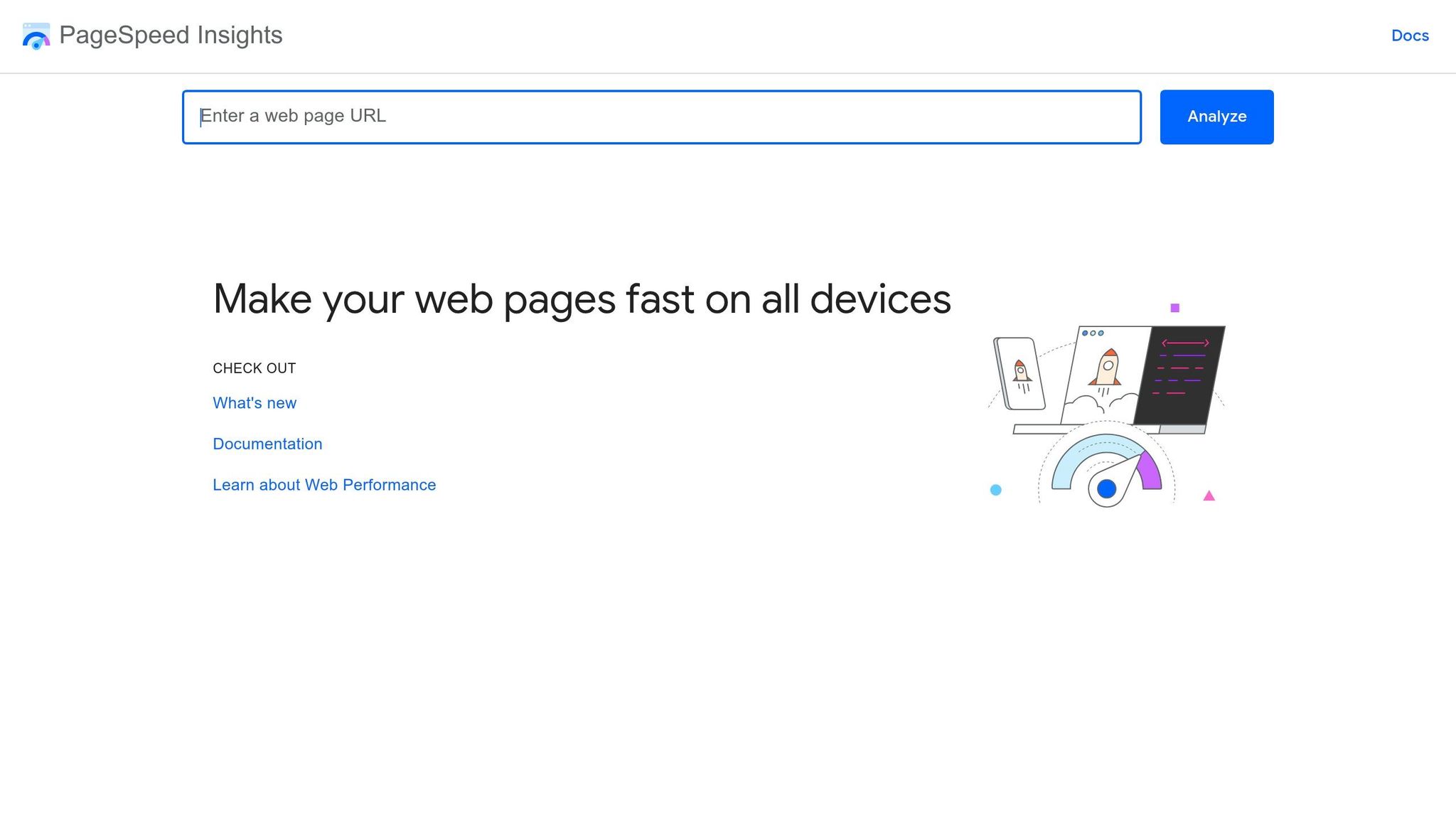
Google PageSpeed Insights is a great tool to figure out what’s slowing down your site. It gives you a performance score that ranges from 90–100 (Good) to 0–49 (Poor). The Opportunities Section highlights fixes that can make the biggest difference to your load time. Common issues include uncompressed images, render-blocking scripts, and bloated CSS files.
The tool also evaluates three Core Web Vitals, which are key for both user experience and SEO. It provides two types of data: Field Data, which shows how real users experience your site, and Lab Data, which is gathered from simulated testing in a controlled setting. Field data is what your visitors encounter, while lab data helps you pinpoint and fix specific problems. Start by focusing on your mobile scores - mobile traffic makes up over 60% of web usage, and Google prioritizes mobile performance in its rankings.
Addressing Core Web Vitals issues should be your first step. After that, tackle high-priority fixes like compressing images. As Sitemind Studio explains:
"Page speed is probably the purest of SEO factors, because addressing loading times improves your rankings, your user experience and your conversion rate too".
Here’s a quick breakdown of Core Web Vitals and their benchmarks:
| Metric | What It Measures | "Good" Target |
|---|---|---|
| Largest Contentful Paint (LCP) | How quickly the main content loads | Under 2.5 seconds |
| Interaction to Next Paint (INP) | How responsive the site is to user input | Under 200 milliseconds |
| Cumulative Layout Shift (CLS) | The page’s visual stability | Under 0.1 |
Once you’ve identified the issues, it’s time to apply these insights to optimize your site.
At The Hoop Studio, we prioritize speed from the very beginning of every Webflow project. Performance isn’t an afterthought - it’s baked into the design process. Our strategy focuses on three main areas: image optimization, clean code, and efficient script management.
We convert all images to the WebP format and ensure they’re sized appropriately for their display dimensions. To save resources, we use Webflow's lazy-loading feature for media below the fold. For above-the-fold content, like a hero image, we add the fetchpriority="high" attribute to make sure the browser loads it first.
Code bloat is another common issue. Using Webflow’s Style Manager, we eliminate unused CSS classes and keep the DOM structure simple - no more than 4–5 nested elements. For animations, we stick to GPU-friendly properties like "transform" and "opacity" to avoid triggering layout recalculations.
Third-party scripts, like analytics tools or chat widgets, can slow down your site by blocking the main thread. We regularly audit these scripts and defer non-essential ones using Google Tag Manager. This ensures they load only after the main content has rendered, cutting down load times significantly.
As the Webflow team points out:
"For every second you reduce page load times, you potentially increase conversion rates by 17%".
These optimizations lay the groundwork for a site that is not only fast but stays fast as it grows.
Prioritizing speed during the development phase is crucial. Fixing a slow site after launch can be costly and time-consuming. By making performance a key consideration from the start, you avoid these headaches and ensure better long-term results for both SEO and conversions.
When speed is a priority, every decision - whether it’s about image formats, CMS structure, or animations - is made with performance in mind. This approach prevents small inefficiencies from piling up over time. A site designed for speed doesn’t just load quickly at launch; it maintains that speed as new pages, content, and features are added.
Consider this: a delay of just 100ms can reduce conversions by 7%. Amazon even found that every 100ms of latency cost them 1% in sales. Speed isn’t just about user experience - it directly impacts revenue.
Fast load times also improve Core Web Vitals, which can boost your search rankings. This creates a positive feedback loop: better performance leads to higher rankings, more traffic, and increased conversions. It all starts with making speed a non-negotiable part of your website’s foundation.
Every part of the earlier analysis boils down to one undeniable truth: speed drives conversions. It’s not just a technical detail - it’s a key factor that influences how users interact with your site. As Jeff Loquist, Senior Director of Optimization at SiteTuners, puts it: "Website speed isn't just a technical metric - it's a direct conversion factor". Even the most visually stunning design can’t compensate for slow load times, which often push visitors away.
The stats back this up. A delay of just one second in page load time can slash conversions by 7%, and over half of mobile users - 53% - will leave a site that takes longer than three seconds to load. Fast-loading sites create a sense of trust and professionalism, signaling that the business is reliable and efficient. On the other hand, slow sites can feel outdated or broken, especially in industries like B2B and SaaS, where performance often reflects credibility. Visitors come to your site ready to engage, and any delay can disrupt that momentum.
To ensure your site performs at its best, regularly audit your Core Web Vitals using tools like Google PageSpeed Insights. Aim for these benchmarks: Largest Contentful Paint (LCP) under 2.5 seconds, Interaction to Next Paint (INP) under 200 milliseconds, and Cumulative Layout Shift (CLS) under 0.1. These metrics aren’t just about pleasing Google - they directly impact how users experience your site.
Prioritize speed from the very beginning. The best-converting sites aren’t necessarily the ones with the flashiest designs - they’re the ones that load quickly, stay responsive, and remove any obstacles to conversion. By making speed a core part of your strategy, you’ll see tangible benefits in user engagement and conversion rates.
Your website should aim to load in under 3 seconds. For even better performance and to align with Core Web Vitals standards, aim for a load time of 2.5 seconds or less.
Improving the load times of your slowest pages - especially those crucial for conversions, like landing or product pages - can make a huge difference. Why? Because even shaving just one second off a page's load time can increase conversions by up to 7%. By focusing on these key pages, you not only enhance the user experience but also get the most out of your site's performance.
When it comes to spotting site speed problems, tools like PageSpeed Insights, Lighthouse, and the Chrome User Experience Report (CrUX) are your go-to options. These tools can pinpoint issues such as oversized images, excessive JavaScript, or slow server response times.
A good starting point is PageSpeed Insights, which helps you evaluate Core Web Vitals like Largest Contentful Paint (LCP), First Input Delay (FID), and Cumulative Layout Shift (CLS). For a deeper dive into diagnostics, turn to Lighthouse, which provides detailed insights into performance bottlenecks. Finally, CrUX offers real-world user data, helping you prioritize which fixes will have the biggest impact.